One thing that also annoys me—and sometimes even makes me lose my temper.
What would be the best way to prevent Pophie and me from constantly talking over each other?
I’ve told her several times to wait until I’ve finished speaking before responding. Same thing i told here perhaps she could wait for about 5 seconds, and if she doesn’t detect any additional words from me during that time, she can then assume I’ve finished and start speaking or reply to me.
Sadly, it’s not working and is useless
I wonder if it would be possible to implement a short “speech-end detection delay”. For example, after Pophie detects that I’ve stopped speaking, she could wait about “3–5 seconds” before responding. If she doesn’t detect any additional words during that brief pause, then she can assume I’ve finished and begin her reply.
I believe this small change would make conversations feel much more natural and prevent us from constantly interrupting one another. Of course, the waiting time could even be adaptive—shorter for quick conversations and slightly longer when it seems like I’m pausing to think before continuing.
I think this would greatly improve the overall conversational experience and make Pophie feel more patient, attentive, and human-like.
This concept is known in AI voice assistants as “end-of-speech detection” or “turn-taking”, and it’s a feature used by many modern voice assistants to prevent people from talking over each other. The waiting time doesn’t have to be exactly 5 seconds; it would be even better if it were dynamic and adapted to the user’s natural speaking pattern. This would make conversations with Pophie much smoother, more natural, and more human-like.
This is a known area we’re actively optimizing right now. The turn-taking behavior (knowing when you’ve truly finished speaking before jumping in) is being improved on the software side, and we expect it to get noticeably better in upcoming updates — so the improvement will come through, without you needing to keep re-teaching her.
Thank you for your patience in the meantime, and for taking the time to suggest the pause-detection idea — it’s genuinely aligned with the direction the team is working on.
I’m really happy to hear that this is already a known issue and that the team is actively working on improving it. That honestly gives me a lot of confidence and excitement for the upcoming updates.
I completely understand that these kinds of improvements take time, and I’m more than happy to be patient. I’m looking forward to seeing how much more natural and enjoyable conversations with Pophie will become in the future.
Thanks once again, and I wish the entire team the very best of luck. Keep up the amazing work!
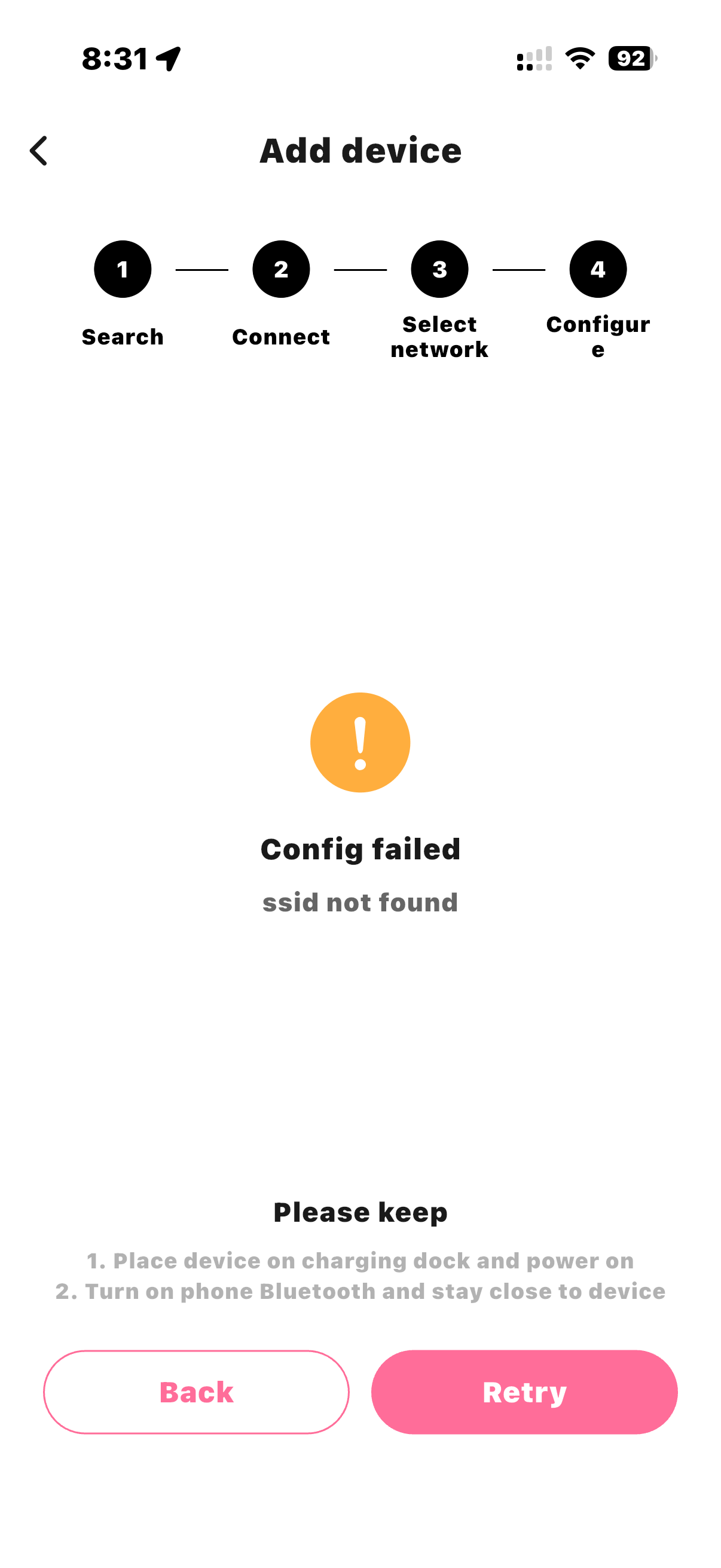
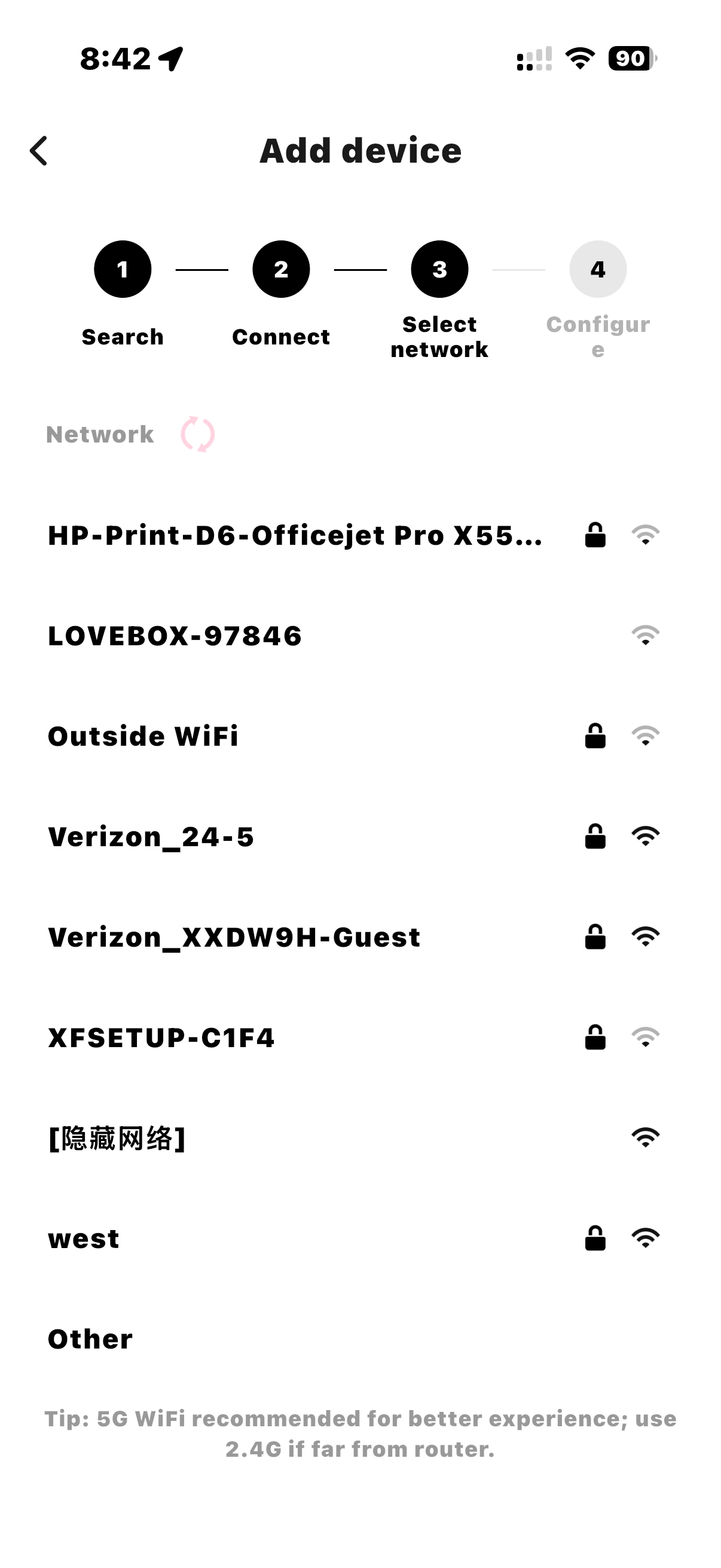
During initial configuration it clearly sees my “west” WiFi network but when I try to connect to it, the app says “SSID not found” this makes my Pophie a paperweight, please help!
Pophie officially supports both 2.4 GHz and 5 GHz Wi-Fi, so the issue is less likely to be caused by the Wi-Fi band itself. The fact that Pophie can detect the SSID during the initial scan but then reports “SSID not found” when connecting suggests that the problem may occur during the handoff between scanning and authentication.
Possible Causes:
Temporary router communication issue. The router may stop advertising the SSID momentarily while Pophie is attempting to connect.
Band steering or mesh Wi-Fi behavior. Even if Pophie supports both 2.4 GHz and 5 GHz, some mesh systems or Smart Connect/Band Steering features can confuse devices during the initial connection.
Hidden or changing SSID. If the router is temporarily changing channels or the SSID is intermittently unavailable, Pophie may no longer find it after the scan.
Router security compatibility. Some devices have trouble with WPA3 or mixed WPA2/WPA3 security modes during initial setup.
Special characters in the SSID. Although Pophie can see the network, certain special characters, emojis, or unusual punctuation in the SSID may still cause connection failures.
DHCP or router configuration issue. The router may not be assigning an IP address correctly after Pophie attempts to join.
Firmware or app bug. The error message “SSID not found” may not accurately describe the real problem. It could be a bug in the Pophie app or firmware where a failed authentication or timeout is incorrectly reported as “SSID not found.”
Weak or unstable Wi-Fi signal. Pophie may detect the network during scanning but lose communication while trying to establish the connection.
Things You Can Try:
A phone connected to the same Wi-Fi can access the internet.
The network name and password are correct, including capitalization.
Pophie and the phone are close to the router.
After reopening the app, restart the router and try setup again.
Compare with a mobile hotspot kept close to Pophie.
If needed, force-restart Pophie once and test both networks again.
If possible, try connecting Pophie to a mobile hotspot to determine whether the issue is with the router or Pophie.
If the hotspot works, review the home network’s signal, password, authentication method, and router settings. A factory reset should be considered only for a new Pophie that has not entered regular use, after the action and data impact are confirmed.
Pophie supports 2.4 GHz and 5 GHz home Wi-Fi networks and mobile hotspots. Networks that require browser-based sign-in—such as many hotel, campus, office, airport, café, or guest networks—are not supported.